Live demo · vodmill-demo.mikodes.com

Long video in, clips out. You set the price.

Vodmill is a white-label clipping platform that runs on your own server. Your customers bring a talk, a podcast or a stream recording and get clip suggestions with a score and the reasons behind it, a crop that follows the speaker, and word-by-word captions. You put a credit price on every action, charge through your own Stripe account, and can open campaigns where brands reward clippers per 1,000 views.

Read-only demo with one sample talk recorded for it. The sign-in screen shows the demo account; nothing you do there is saved.

  • AI clipping platform
  • clipper campaigns with a ledger
  • source code you host
  • 28 docs pages
vodmill-demo.mikodes.com/app
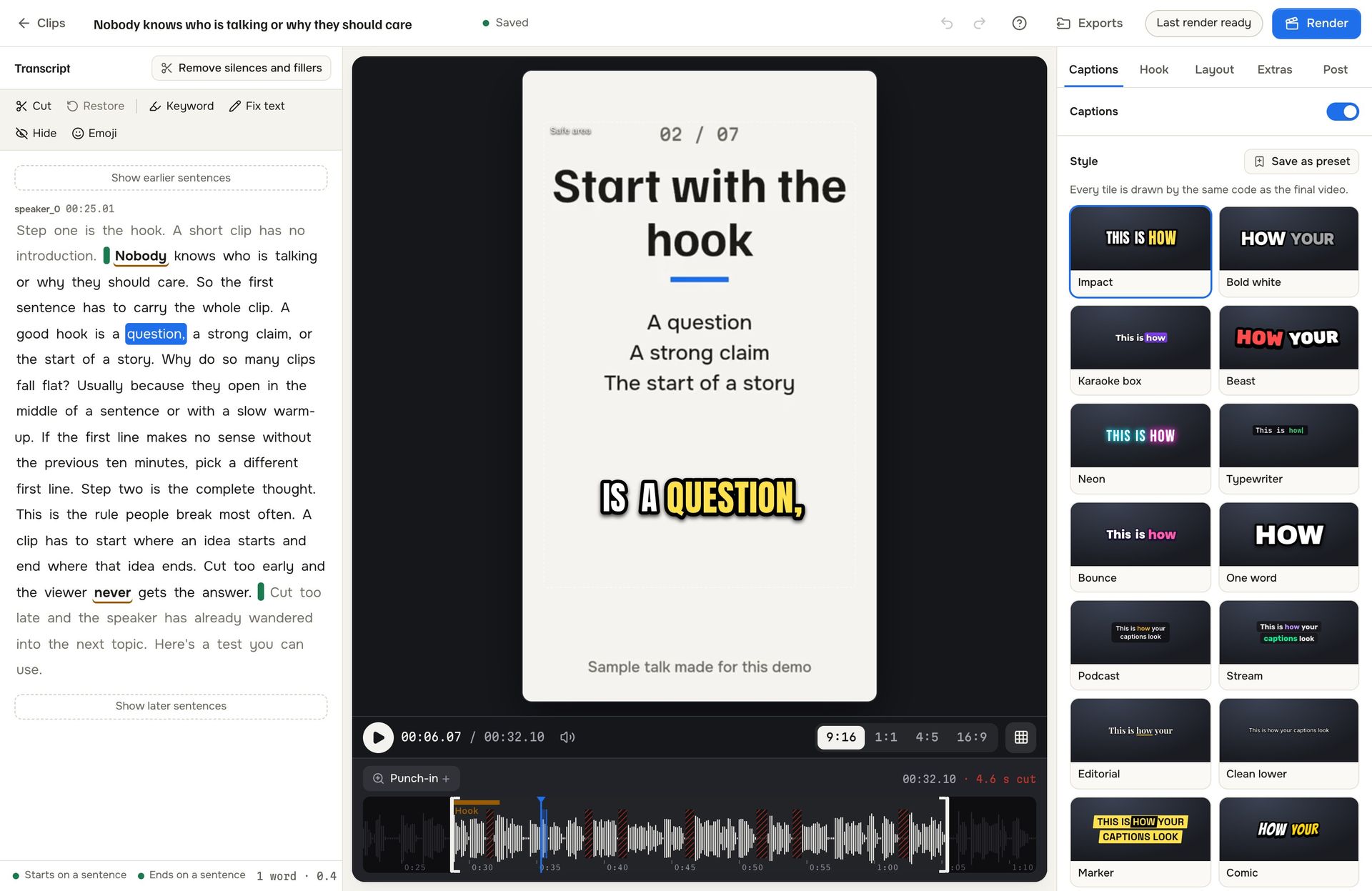
Vodmill clip editor: the transcript on the left with a highlighted word, a vertical 9:16 preview with a word-by-word caption in the middle, and the caption style tiles on the right
Revenue calculatorPut in your own numbers.Plans, credit packs and campaign commission. You move the inputs; every one is an example.Revenue calculator →
caption presets18
score signals with a reason7
vodmill-demo.mikodes.com/app · sample talk
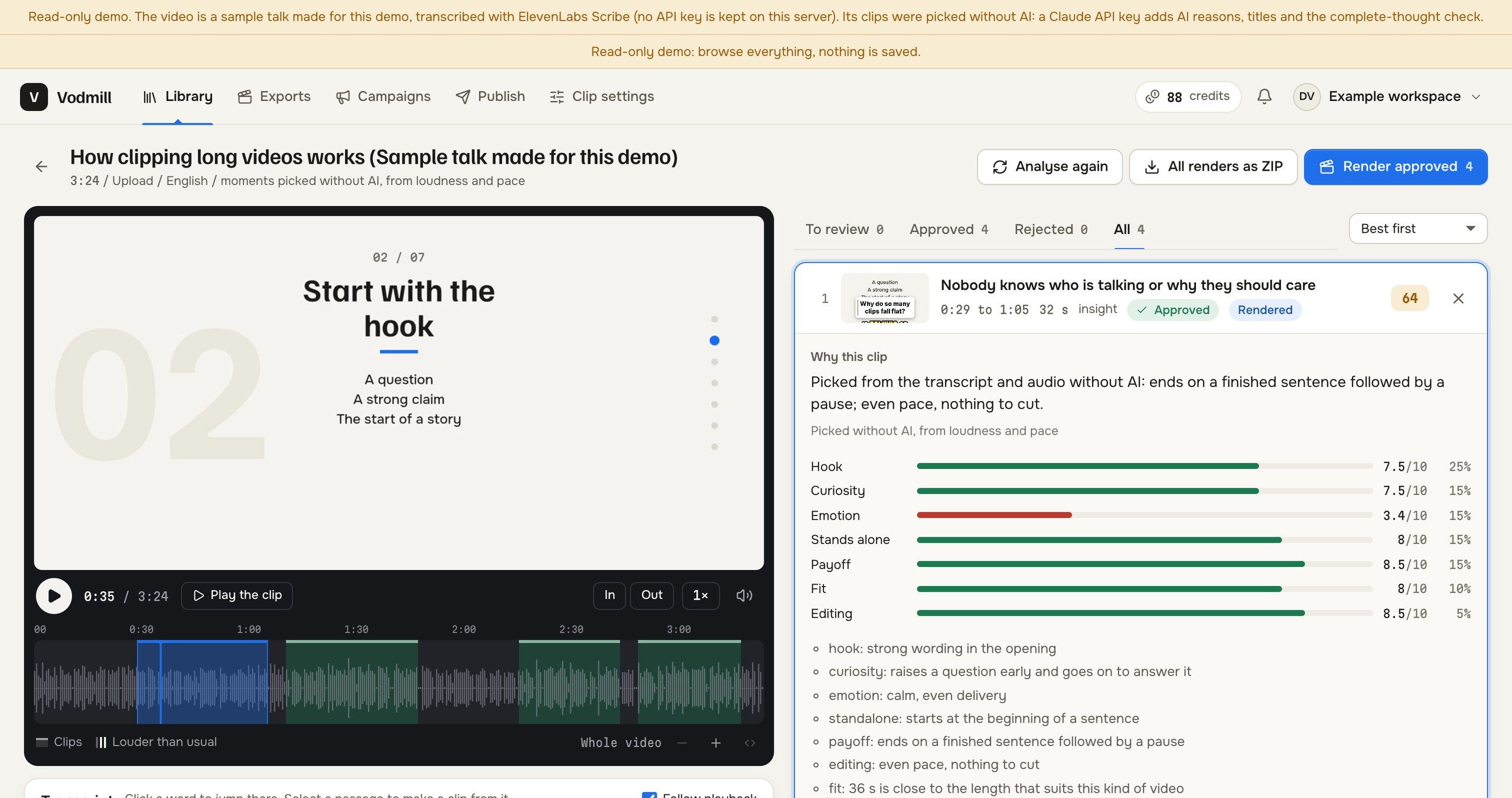
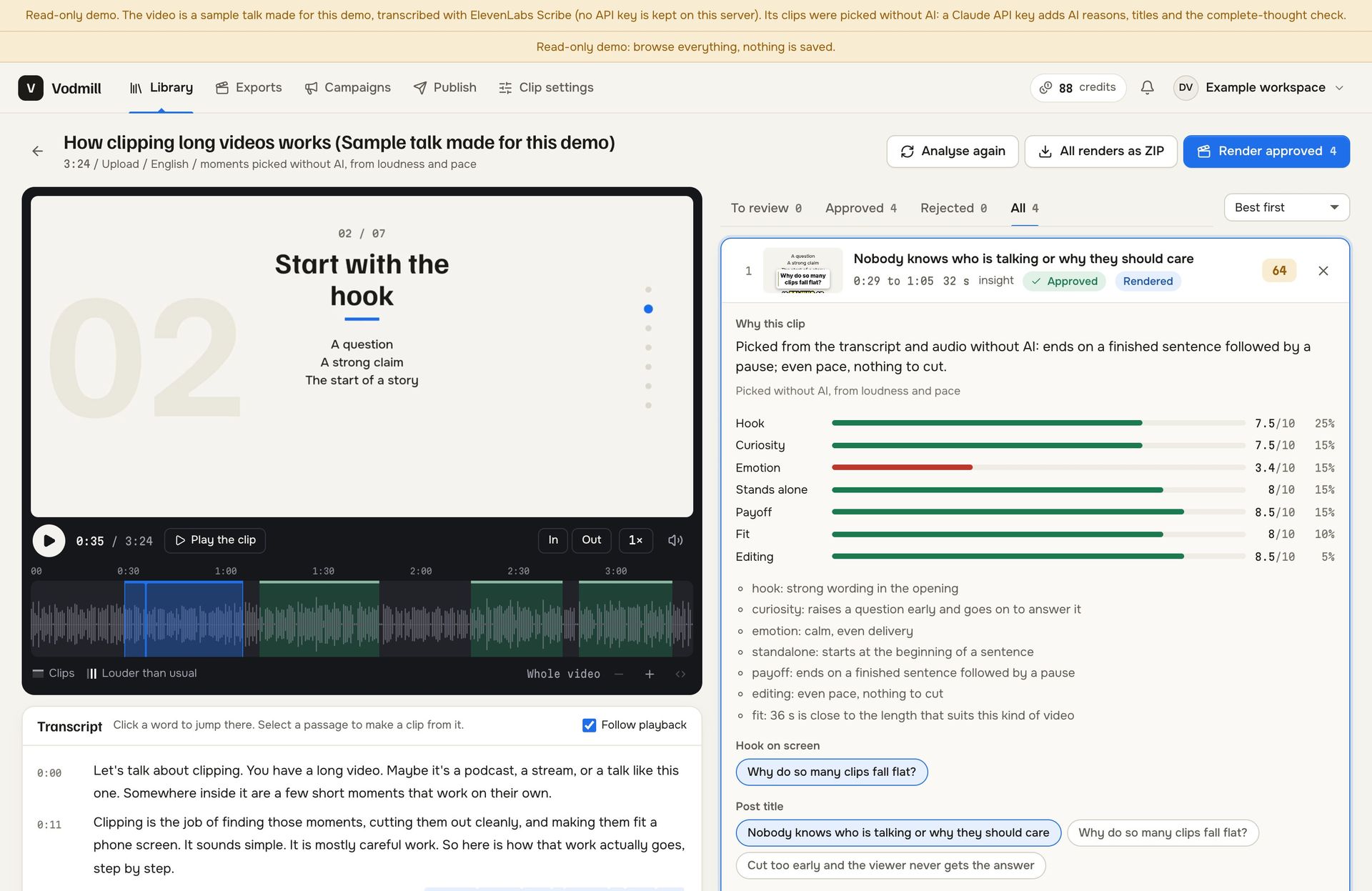
Vodmill clip board for the sample talk: the source video with its waveform and transcript on the left, and on the right a suggested clip with its score, seven signal bars and a written reason for each
The clip board on the demo's sample talk. Every suggestion opens to its seven signals and the reason for each, so nobody has to trust a bare number.

What your customers work with

From a two-hour recording
to a clip worth posting.

Clip board: a suggested clip scored 64 with bars for hook, curiosity, emotion, stands alone, payoff, fit and editing and a reason for each

A score with its reasons

Each suggested clip is rated on seven named signals that add up to 100 points: hook, curiosity, emotion, standing alone, payoff, fit and editing. One written reason sits next to every bar. Clips start and end on a sentence.

Clip editor: transcript tools such as cut, restore, keyword and fix text beside the vertical preview and the waveform with its cuts

Edit the words, not the timeline

The clip editor is built on the transcript: cut a sentence, restore it, fix a misheard word, mark a keyword or strip silences and filler words in one click. The waveform shows every cut.
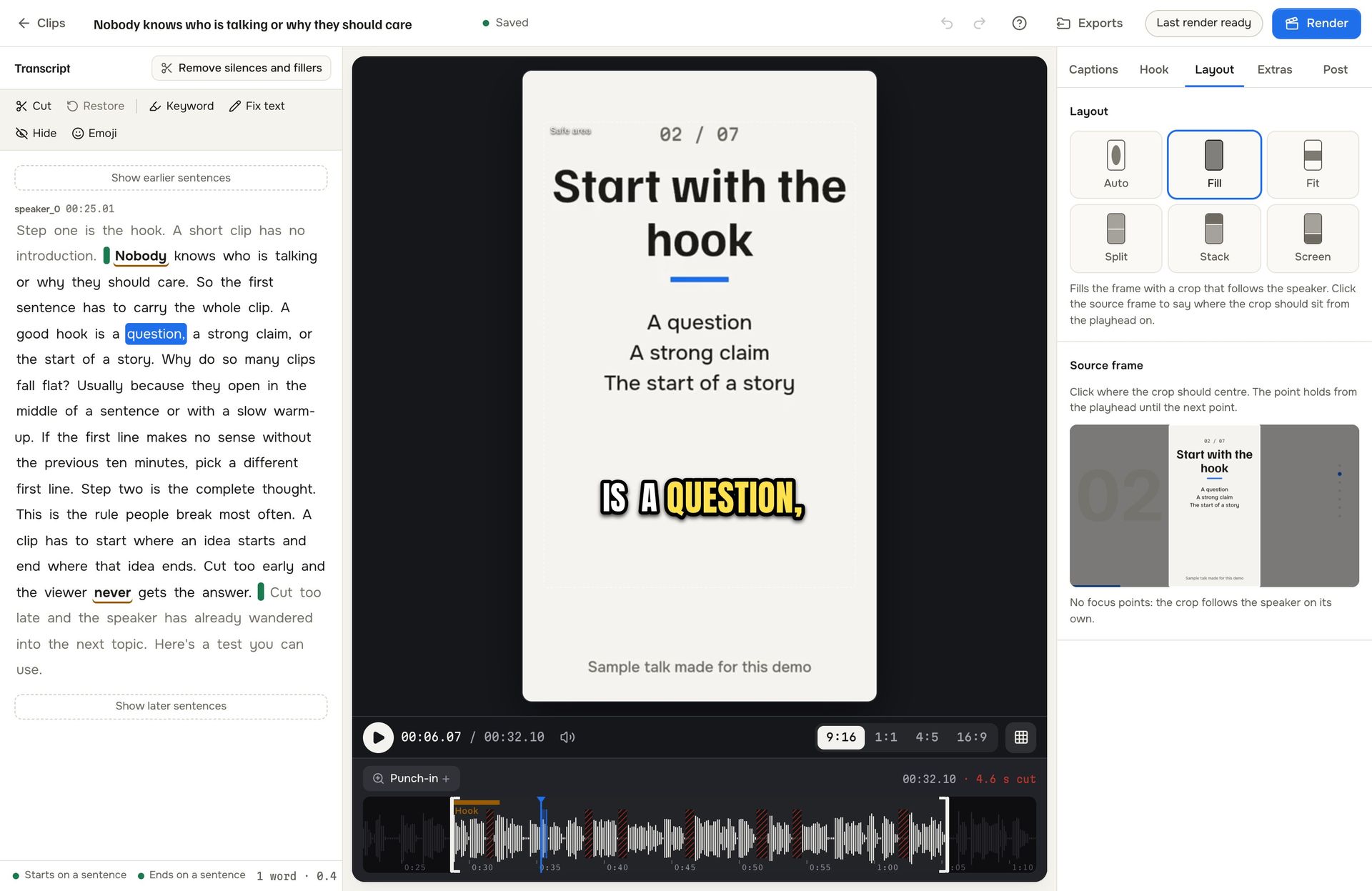
Clip editor, Layout tab: six layout tiles named Auto, Fill, Fit, Split, Stack and Screen and the source frame with its crop

A crop that follows the speaker

Face detection runs on your server's CPU, so nothing is sent to an outside service. Six layouts cover the usual sources: Auto, Fill, Fit, Split, Stack and Screen.
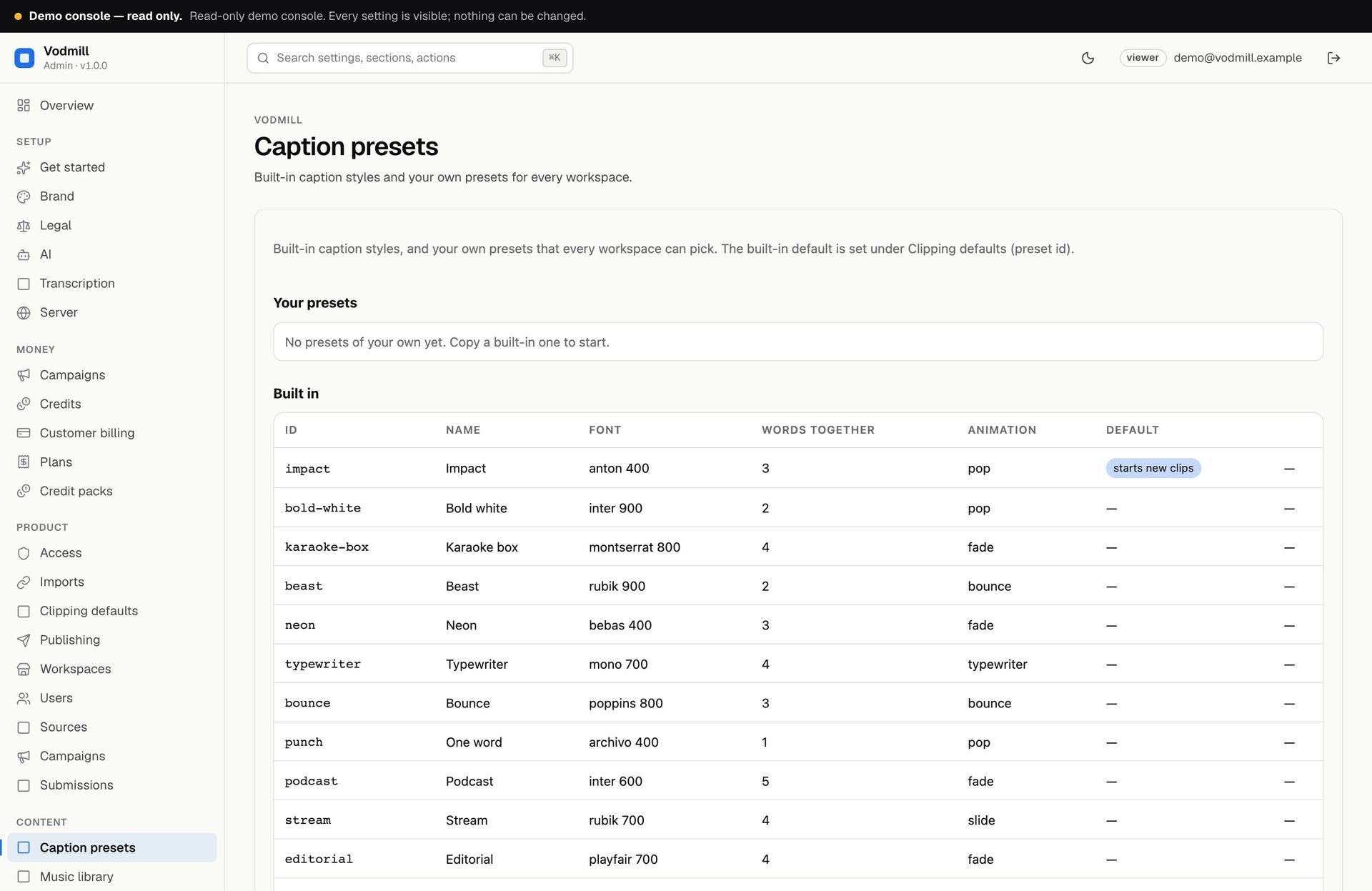
Operator console, Caption presets: the table of built-in presets with id, name, font, words together and animation

18 caption presets, word by word

Impact, Karaoke box, Typewriter, Neon and fourteen more. The browser preview and the server render are drawn by the same code, so the finished clip matches what was approved. Operators add presets of their own.
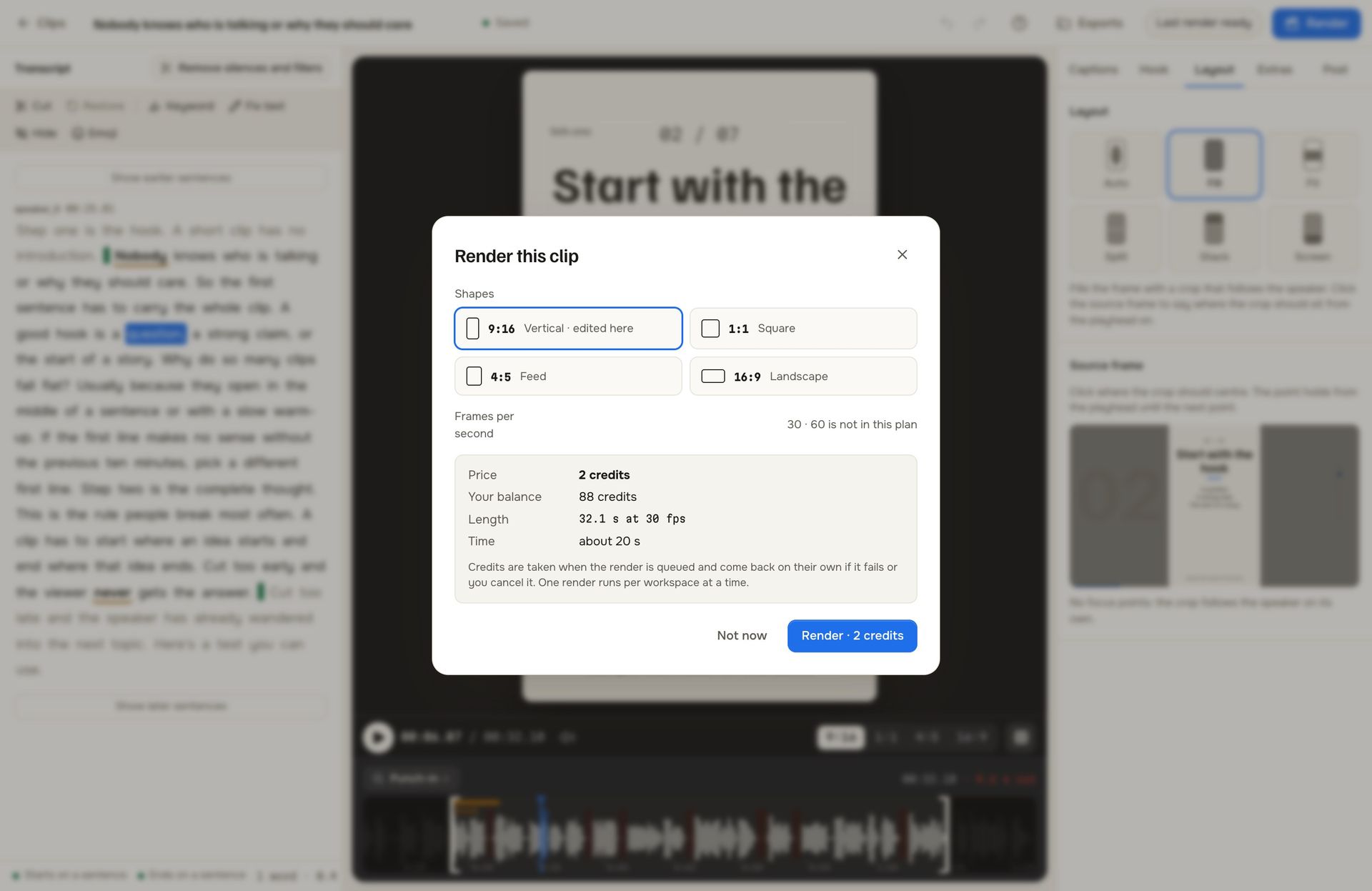
Render dialog: four shapes, the price of 2 credits, the balance, clip length and a note that credits return if the render fails

Four shapes, priced before the render

Vertical 9:16, square 1:1, feed 4:5 and landscape 16:9 from one edit. The dialog shows the credit price, the balance and the length first. Every clip comes with MP4, SRT and VTT subtitles, a cover picture and an edit list.
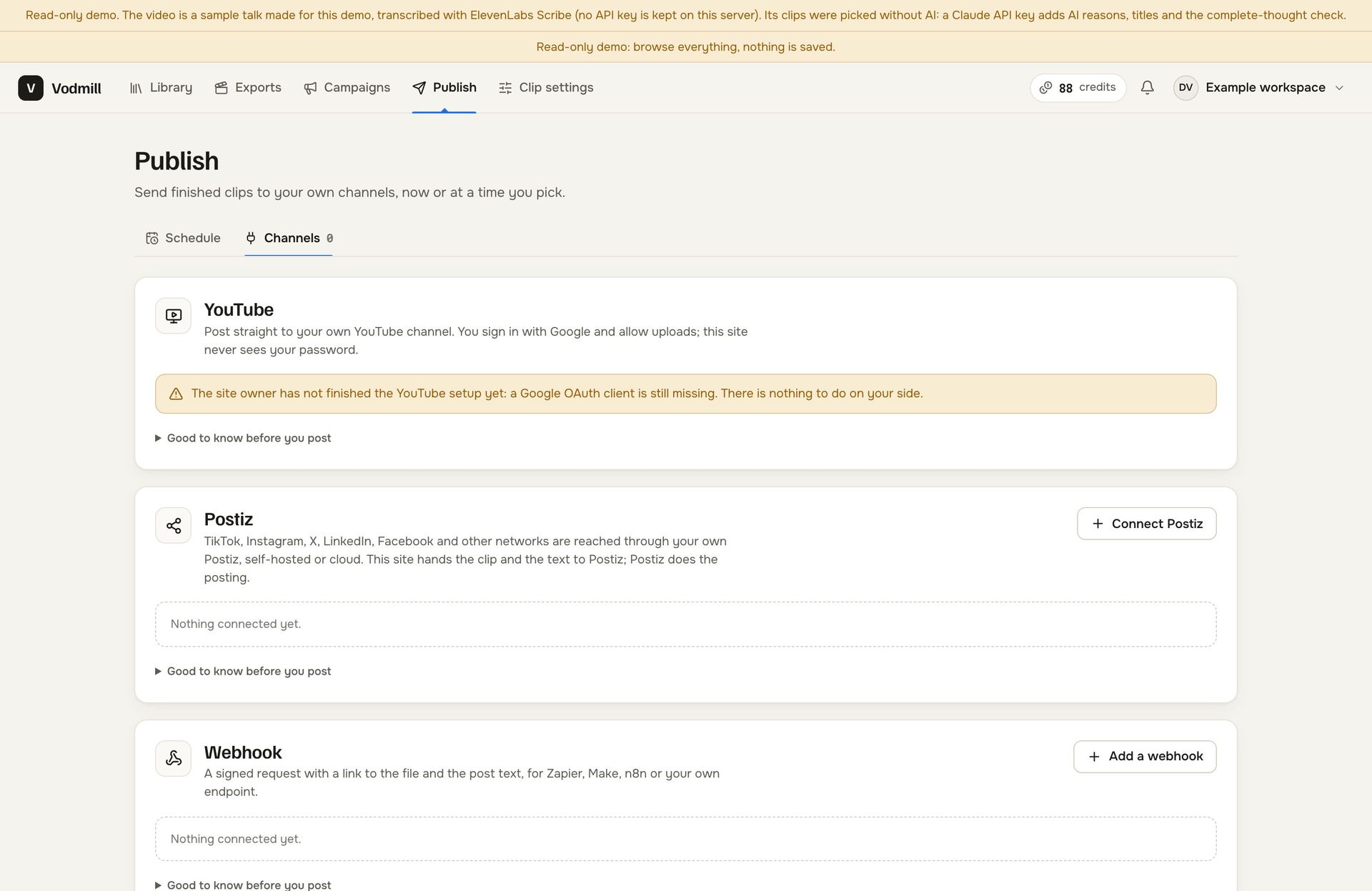
Publish page, Channels tab: YouTube, Postiz and Webhook cards, none connected in the demo

Publishing, an API and an MCP server

Clips go to a customer's own YouTube channel through your Google OAuth client, to their Postiz for other networks, or to a signed webhook, now or on a schedule. A REST API with keys, outgoing webhooks and a six-tool MCP server cover the rest.

Brands fund a campaign.
Clippers are rewarded per 1,000 views.

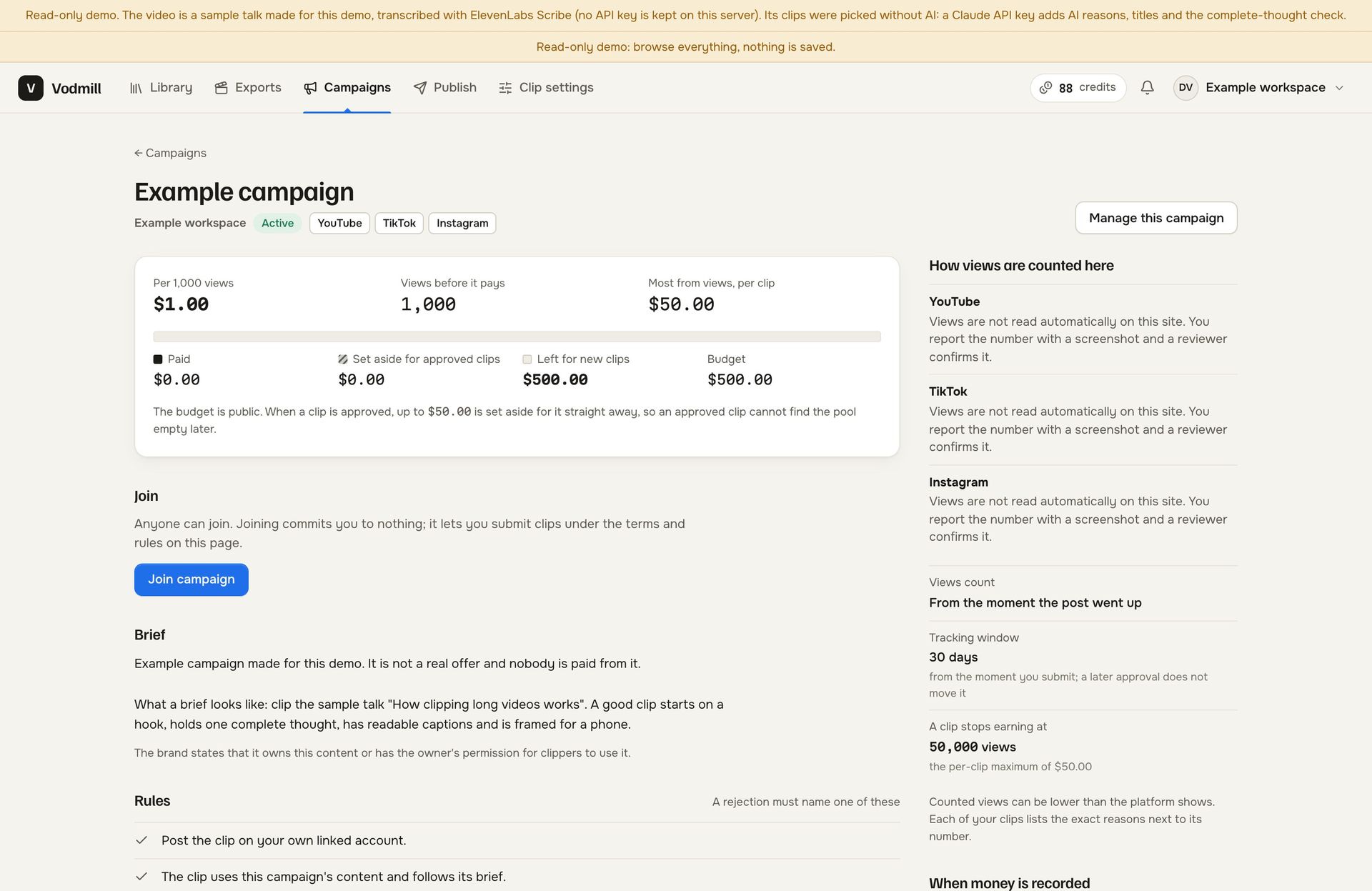
A brand sets a budget, a rate and its rules. Clippers post on their own accounts and submit the link. Views are read automatically for YouTube and Twitch; on other platforms the clipper sends a screenshot report and a person reviews it. An approved clip sets budget aside, a hold period follows, and the payout becomes a row in a ledger you can batch and export as CSV. The software records what is owed and what was marked paid. It never moves money.
vodmill-demo.mikodes.com
Example campaign page in the demo: the rate per 1,000 views, views before it pays, the per-clip maximum, the budget bar, how views are counted on each platform, the brief and the rules
See the example campaign →

How the operator earns

Four revenue lines in the code.
Every one switched on by you.

  • Credits: six actions carry a price you set, from transcribing a minute to rendering a clip. A price of 0 makes an action free.
  • Plans: monthly subscriptions charged by your own Stripe account, with limits on source length, minutes per month, storage, 60 fps renders, the watermark and campaigns.
  • Credit packs: a one-off Stripe Checkout for the customer who runs out mid-month.
  • Campaign commission: a share of every recorded clipper payout, set in basis points. It is 0 on a new install and capped at 50% in code. The ledger records it; you settle it outside the software.
  • Billing, campaigns, publishing and the public API all ship switched off, so a new install charges nobody until you decide it should.
vodmill-demo.mikodes.com
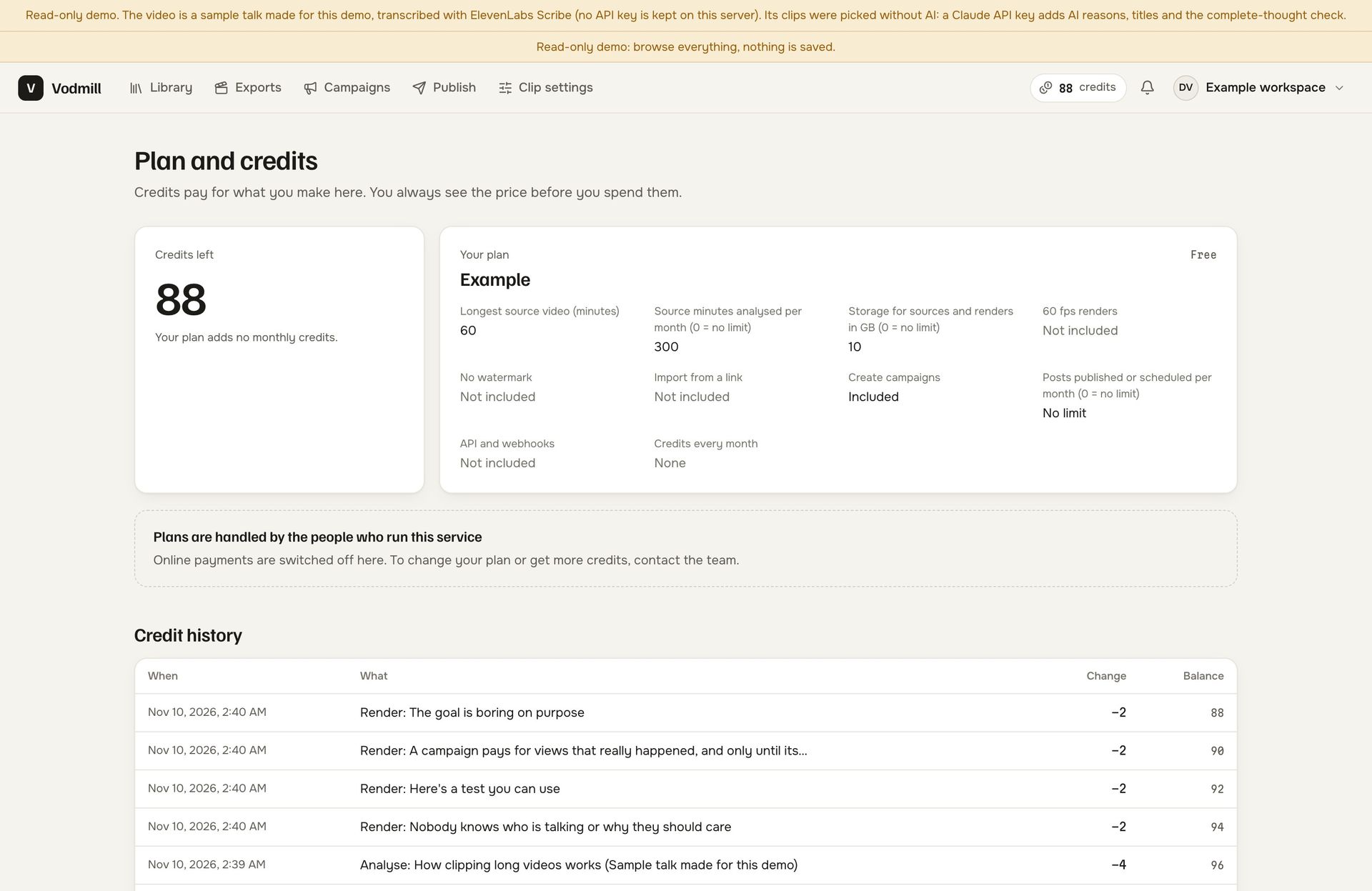
Plan and credits page as a customer sees it: credits left, what the plan includes and the credit history of analyses and renders
See it as a customer →

Earnings calculator

Revenue calculator.
Your prices, your numbers.

Change any input. All six start as examples we picked, not defaults from the code and not anybody's results; the real prices are the ones you enter in the console.

Realistic example · revenue per month

—

— per year

  • Plans
  • Credit packs
  • Campaign commission
Est. running cost—
Left for you / month—

Examples, not a forecast and not a promise of customers, views or income. The running cost is an example VPS at $60 a month; transcription, Anthropic and Stripe charges are billed to your accounts per use and are not in that figure. Campaign commission is recorded by the ledger and collected by you, not by the software. Charging your customers for access needs the Extended licence.

Operator console

Prices, presets and payouts.
All set in one console.

The demo console is the operator console from the source code, opened with a read-only account that its own sign-in screen shows. Every page and setting is visible.

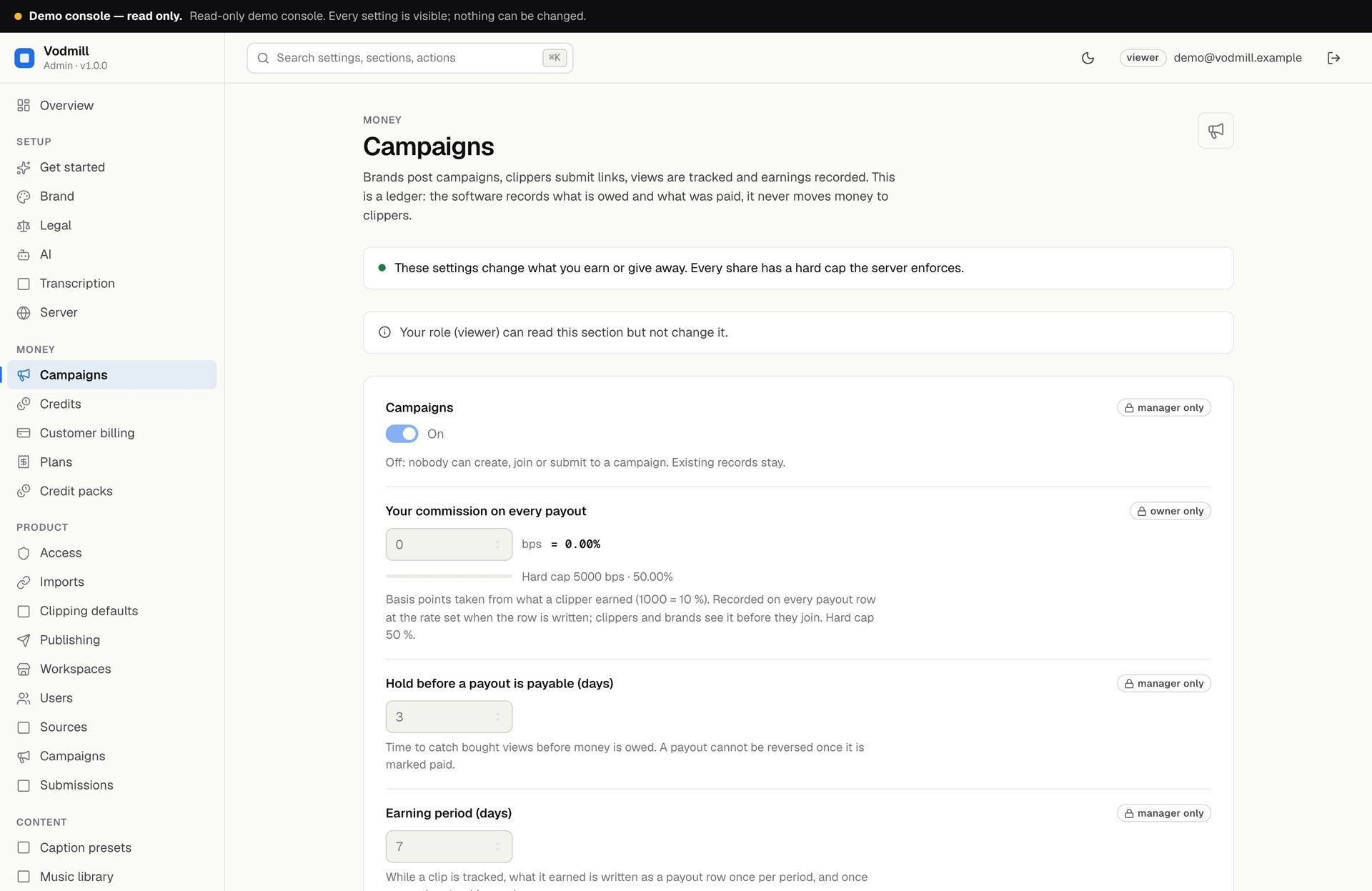
Campaign rulesCampaigns on or off, your commission in basis points with its hard cap, the hold before a payout is payable and the fraud score that pauses one.
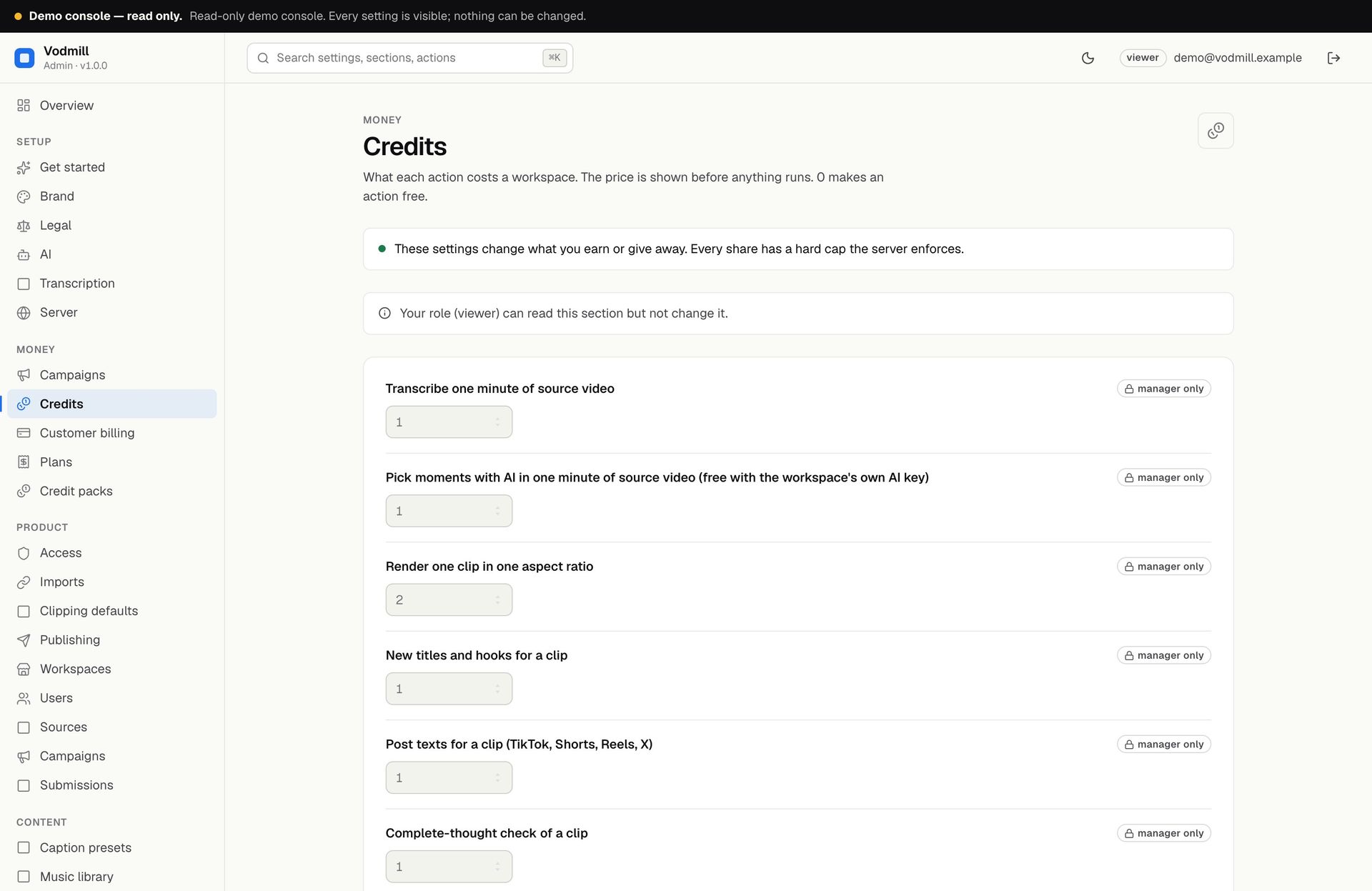
Credit pricesWhat a workspace pays to transcribe a minute, pick moments, render a clip, get new titles, post texts or a complete-thought check.
Caption presetsThe 18 built-in styles with font, words shown together and animation, plus presets of your own for every workspace.
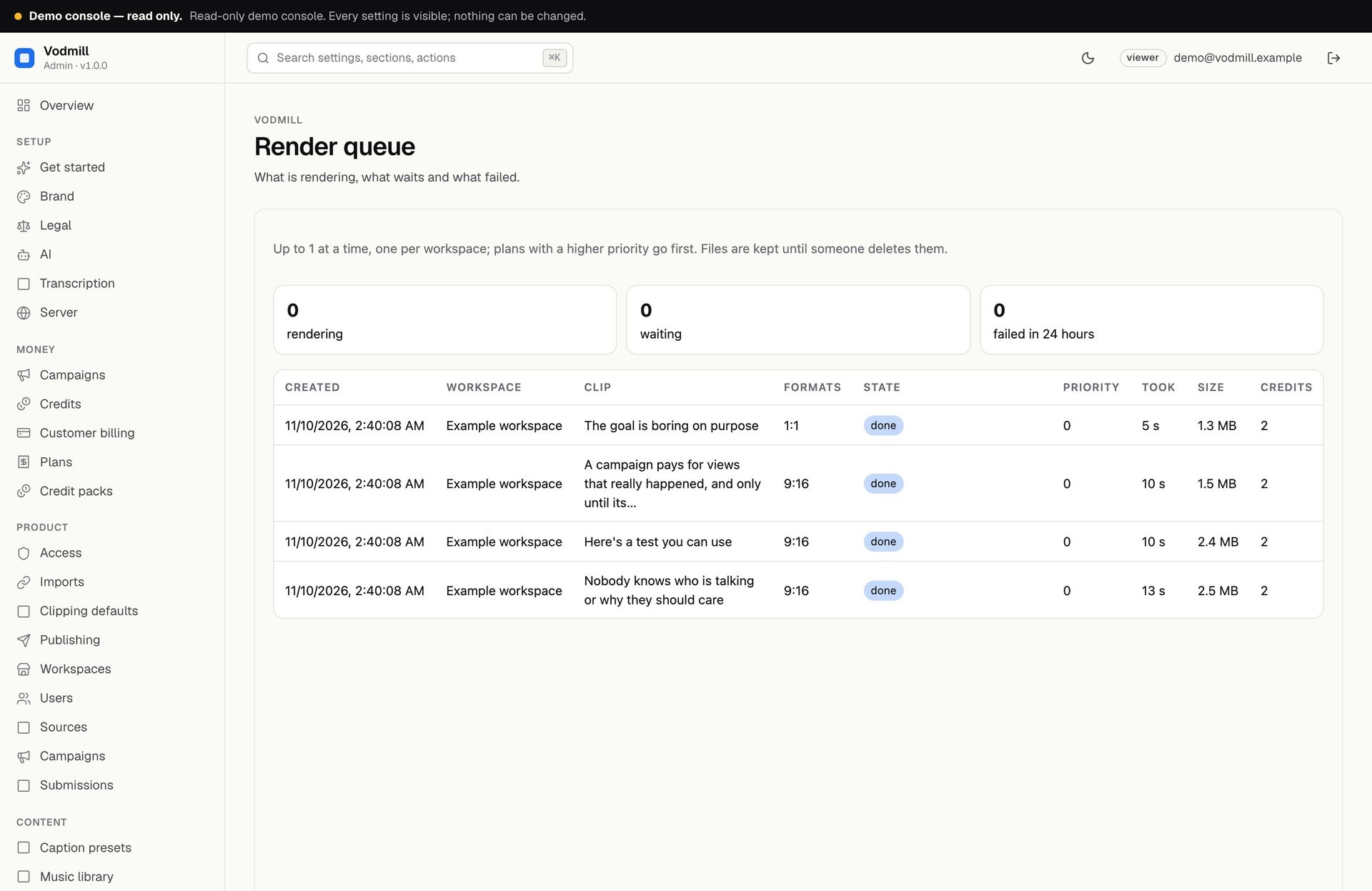
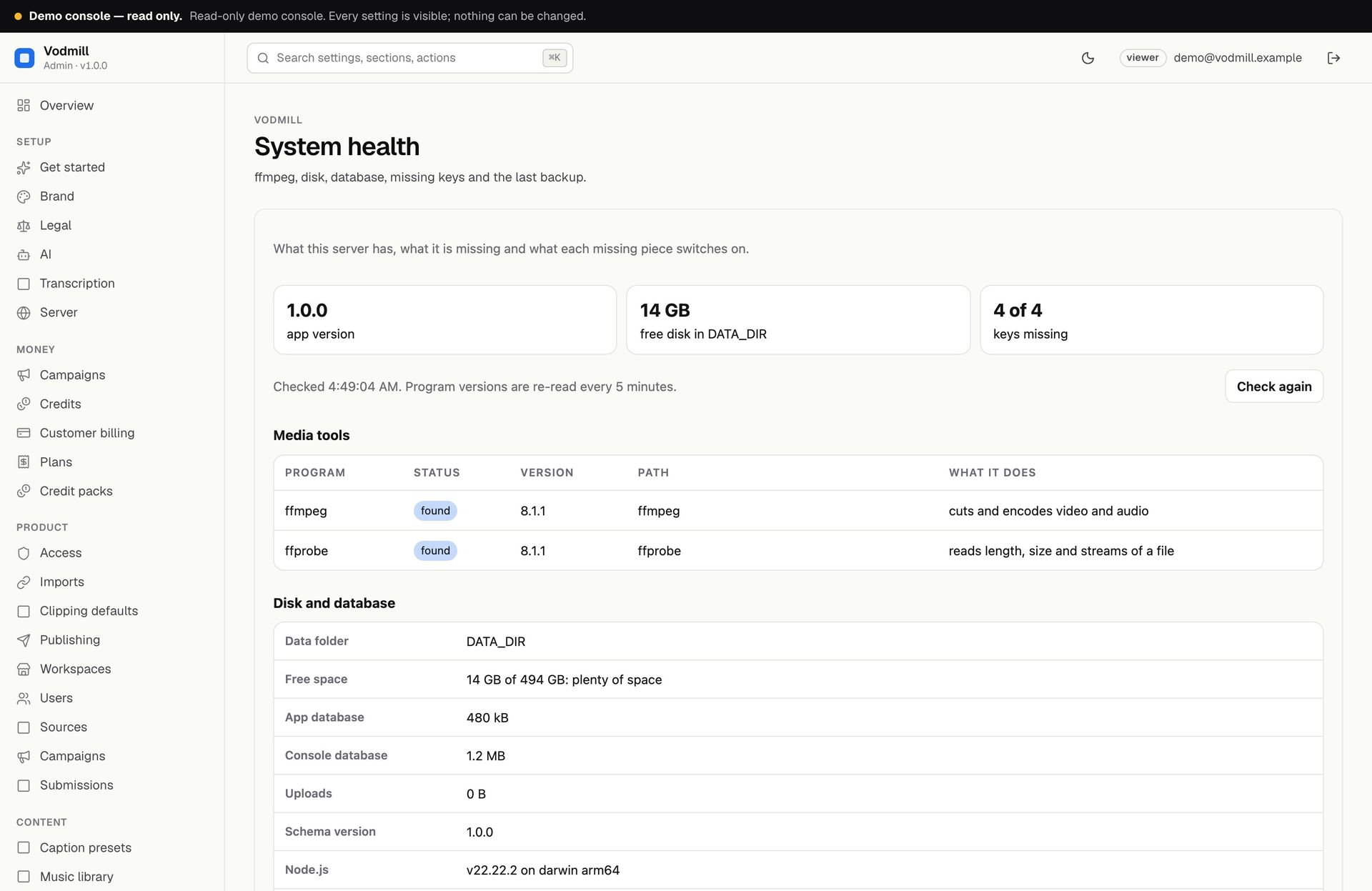
Render queue and healthWhat is rendering, waiting or failed; whether ffmpeg is found, how much disk is free, which keys are missing and when the last backup ran.

vodmill-demo.mikodes.com/admin

The demo console refuses every change on the server. On your own install the same pages save for real, and the first console account needs the one-time setup code from the server log.

What Vodmill does not do.
Said before you buy.

It clips, it does not generateVodmill works on footage your customers provide and have the rights to. No generated video, no avatars, no music or stock library.
A ledger, not a payment serviceCampaign payouts are recorded with a reference when you mark them paid. You pay clippers yourself; the software never moves money.
View counts, as they areAutomatic only for YouTube and Twitch through their official APIs. Everywhere else a clipper reports with a screenshot and a person decides.
A failed job costs nothingCredits are taken when an analysis or render is queued and come back on their own when it fails or is cancelled.
Provider bills go to youTranscription needs ElevenLabs, a Whisper-compatible API or a local whisper.cpp, which has no API cost. An Anthropic key is optional: a built-in picker works without it.
A VPS, not shared hostingRendering and face detection use ffmpeg and the server's CPU; no GPU is needed. Shared and serverless hosting do not work. Import from a link is off until you install the tool for it and switch it on.

Interactive tour

Click through the screens,
from the library to the render queue.

Captured from the read-only demo on its sample talk. Click a screen to enlarge it.
vodmill-demo.mikodes.com
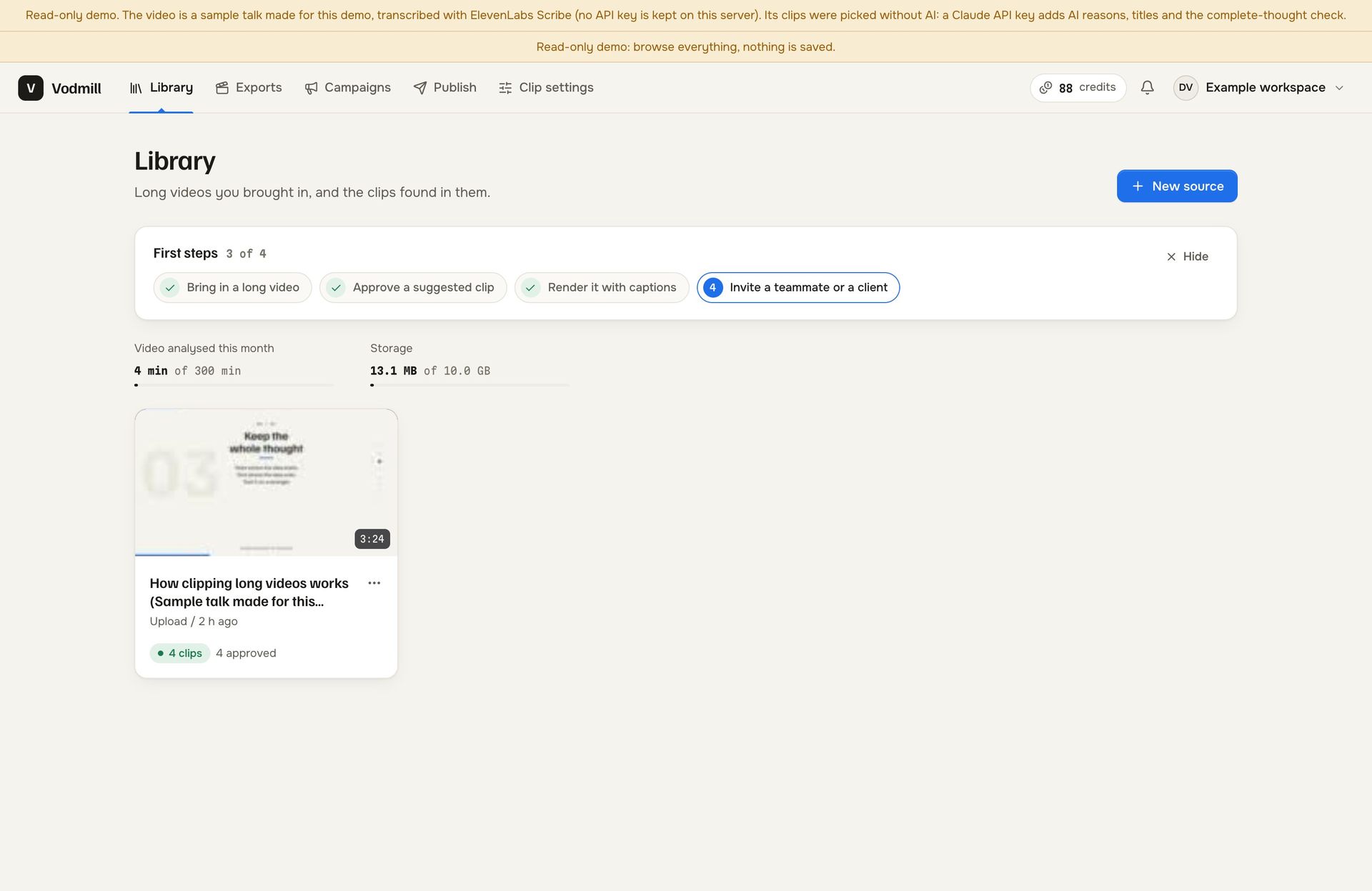
Library with the first-steps checklist, the month's analysed minutes, storage used and the sample talk with four clips
vodmill-demo.mikodes.com
Clip board
vodmill-demo.mikodes.com
Editor
vodmill-demo.mikodes.com
Layouts
vodmill-demo.mikodes.com
Render dialog
9:41
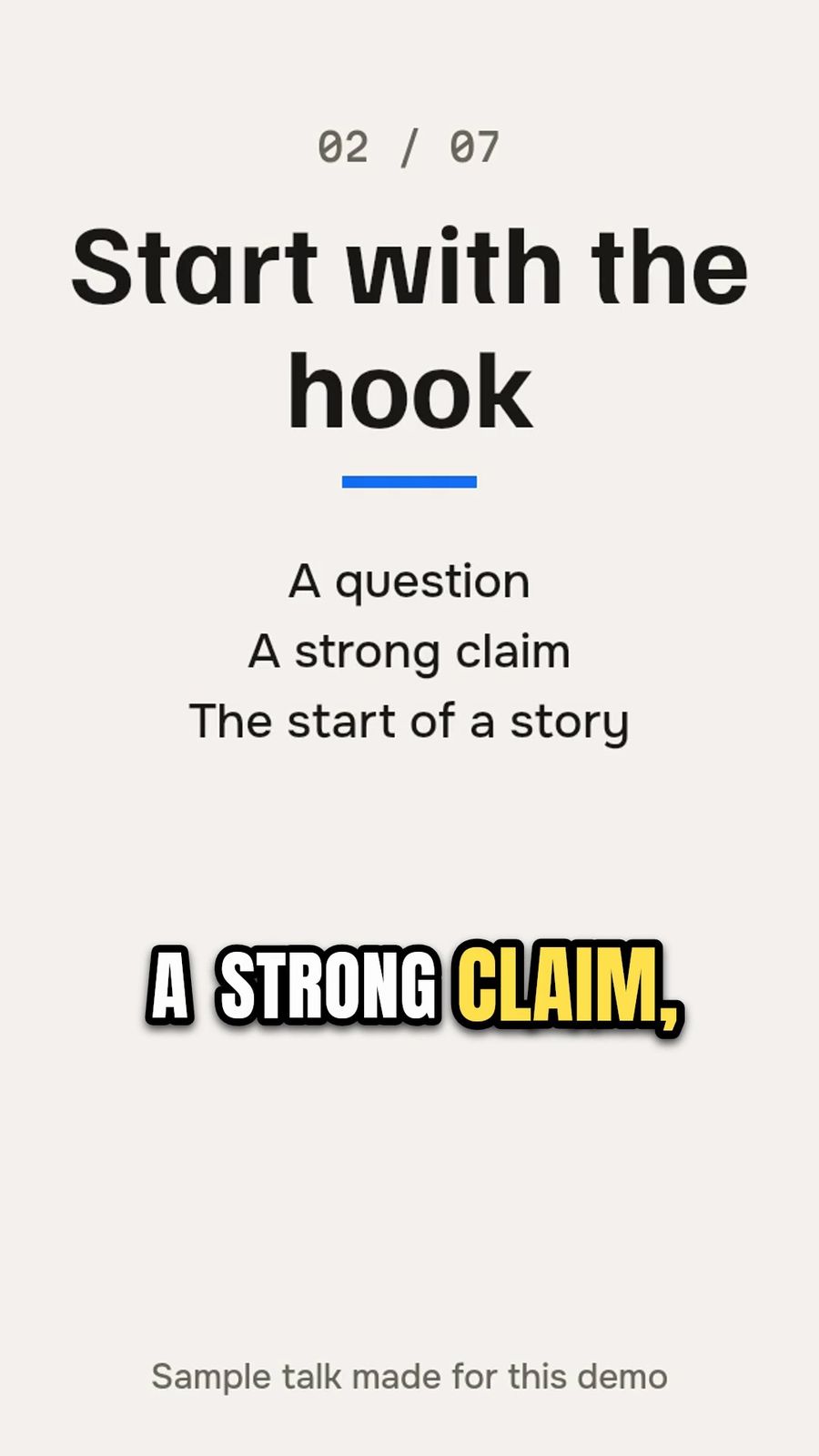
A 9:16 frame rendered by Vodmill from the sample talk, with a word-by-word caption in the Impact preset
vodmill-demo.mikodes.com
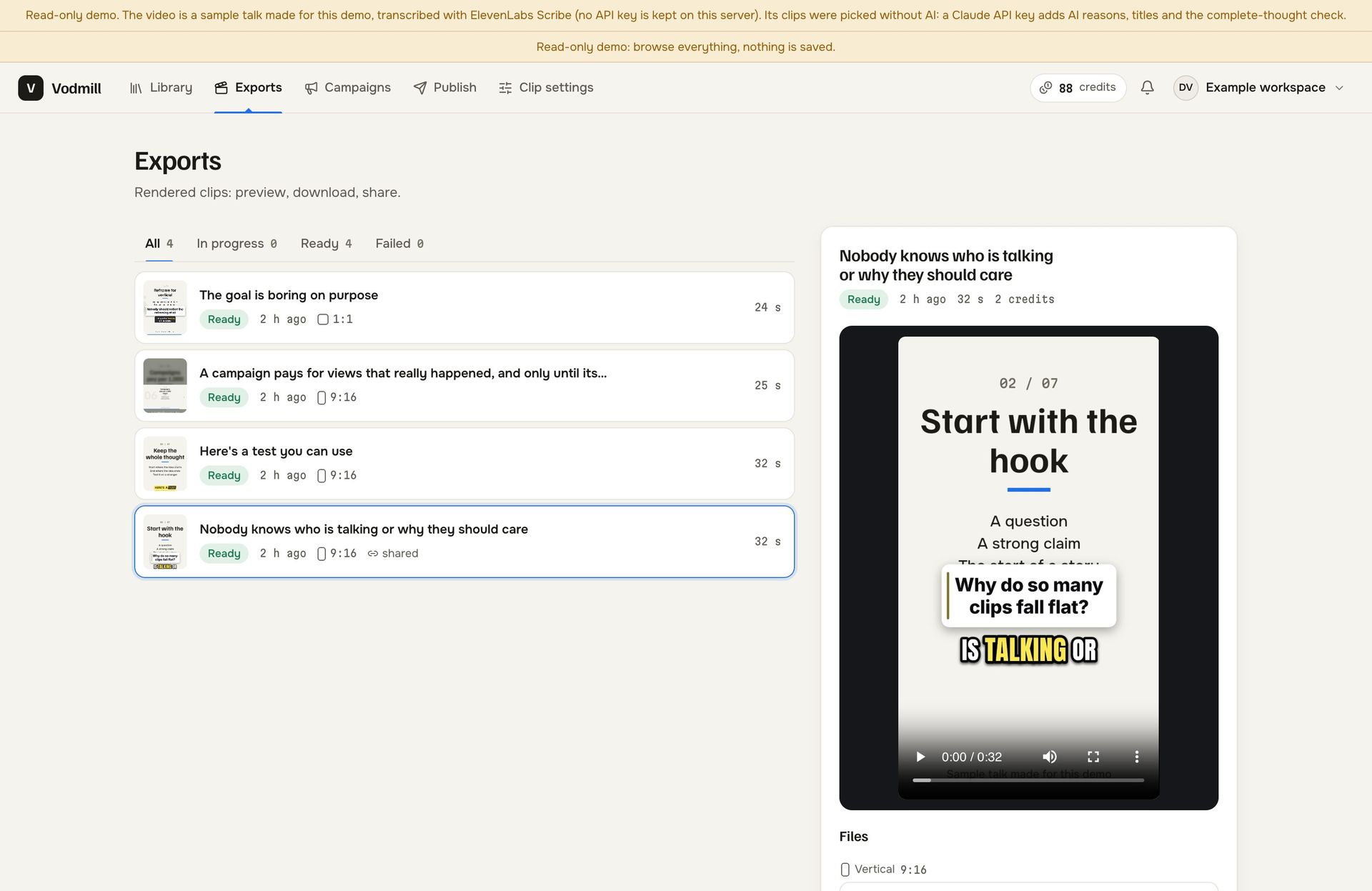
Exports: four rendered clips marked ready and a player with the selected vertical clip
vodmill-demo.mikodes.com
Publish
vodmill-demo.mikodes.com
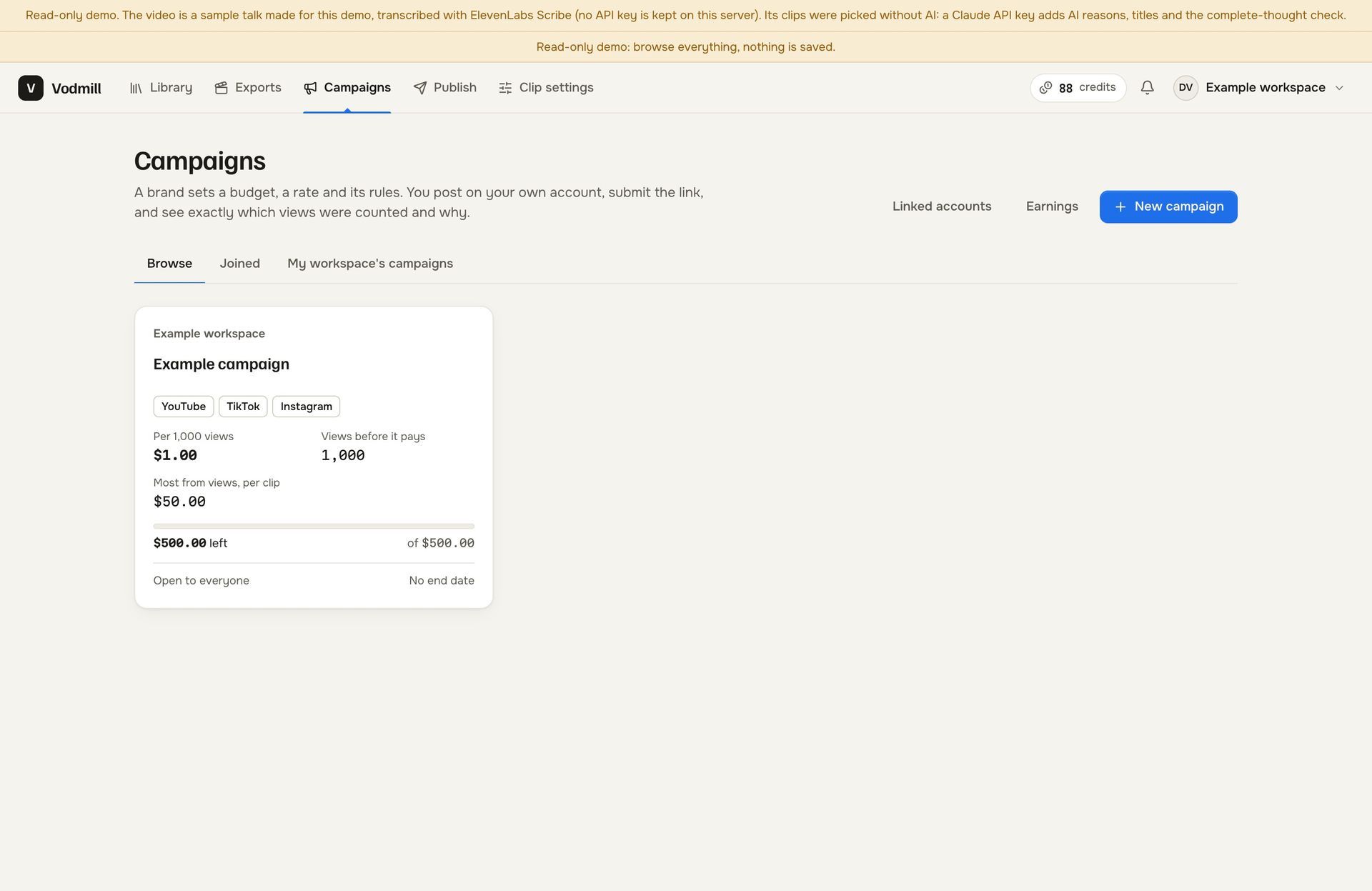
Campaigns list with the example campaign card: rate per 1,000 views, views before it pays, per-clip maximum and budget left
vodmill-demo.mikodes.com
Campaign page
vodmill-demo.mikodes.com
Plan and credits
vodmill-demo.mikodes.com
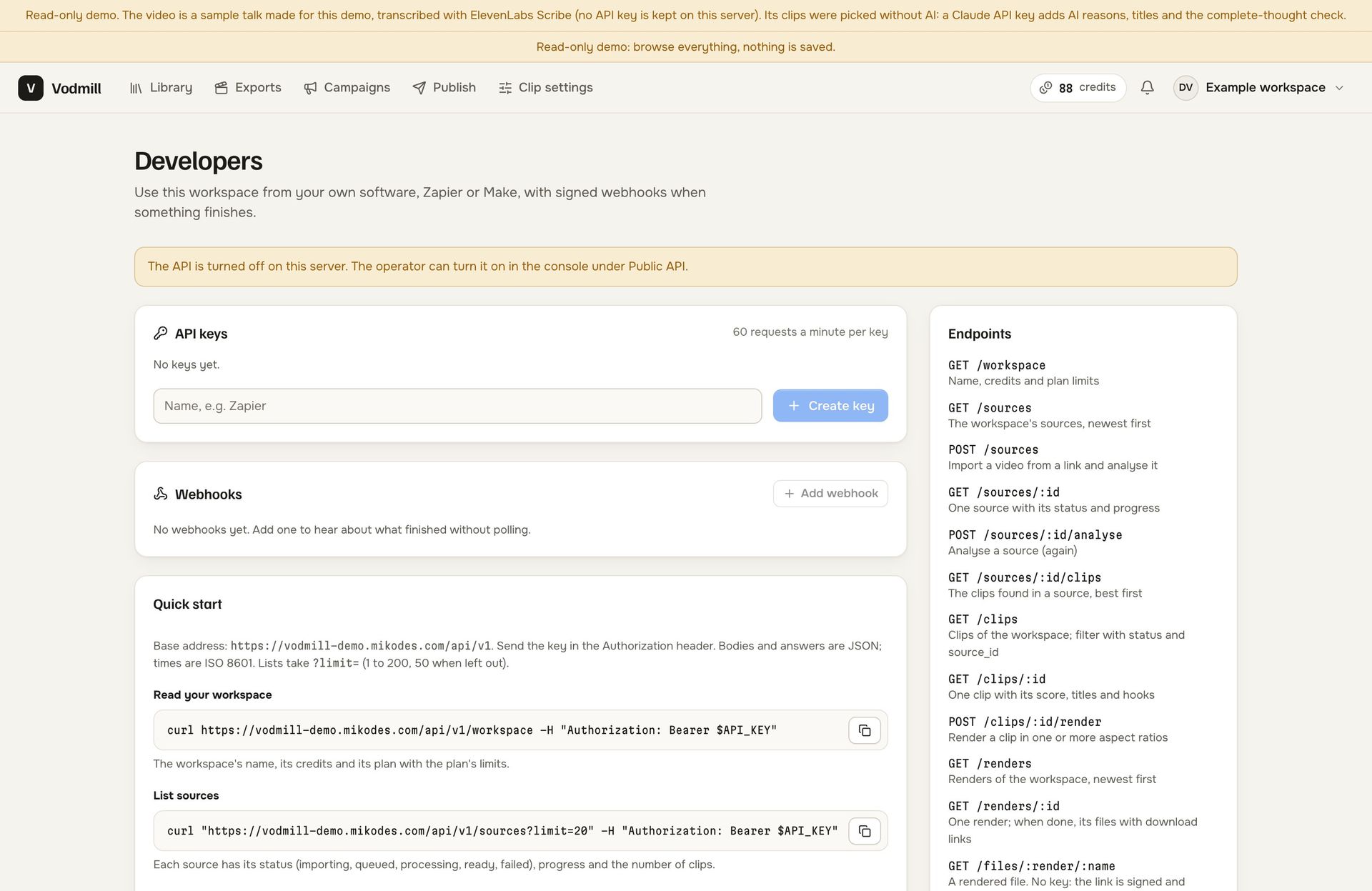
Developers page: API keys, webhooks, a quick start with curl examples and the endpoint list; the API is switched off on the demo server
vodmill-demo.mikodes.com
Operator console, Campaigns: the on and off switch, commission in basis points with its hard cap and the hold before a payout
vodmill-demo.mikodes.com
Operator console, Credits: the credit price of each action, from transcribing a minute to the complete-thought check
vodmill-demo.mikodes.com
Console: caption presets
vodmill-demo.mikodes.com
Operator console, Render queue: counts of rendering, waiting and failed jobs and the finished renders with format, time and size
vodmill-demo.mikodes.com
Operator console, System health: app version, free disk, missing keys, ffmpeg and ffprobe found, disk and database sizes

Documentation

Server, keys, campaigns, API.
Each has its own page.

28 pages written from the code: requirements, installation, configuration, campaigns, publishing, backups and troubleshooting.

Documentation

Buy source code

The whole platform as source code.
Your name on it.

  • Full source code, yours to rebrand and run
  • Documentation — 28 pages, also online
  • A live demo to click through before you pay
  • Node.js 22 and TypeScript server, the React app and the operator console
  • The ffmpeg render pipeline, a face-detection model, 18 caption presets and six layouts
  • Dockerfile, REST API, MCP server, backup, restore and upgrade-check scripts
  • Item support through CodeCanyon

Installation & customization

Want it installed on your servers, rebranded or extended? The team that built it does that — write to us.

Vodmill · source code

Coming to CodeCanyon

Not on CodeCanyon yet. Planned at $99 (Regular licence); charging your own customers for access needs the Extended licence. Hosting and transcription, Anthropic and Stripe usage are not included.

Read a clip's score. Then open the console.

Version 1.0.0 · Node.js 22 and ffmpeg · runs on your server · not on CodeCanyon yet

Installation & custom work

Want it running, not just unzipped?
Say what you need.

The source code will be sold on CodeCanyon. Getting it live on your server, changing it or building on top of it is work we take on, and it starts as a conversation.

Install it for me

Vodmill on your VPS with your domain, ffmpeg and your keys.

  • Your name, logo and colour in place
  • Transcription and Stripe connected and tested
  • Handed over working, with the changes written down

Add a feature

The one thing your clipping service needs that is not there yet.

  • A caption preset, a layout, a publishing target, a report
  • Built into your copy so updates still apply
  • We say so up front when it is a bad idea

Build something custom

A video product of your own on foundations that already run.

  • Starts from working code, not an empty folder
  • Yours alone; we do not resell it
  • Held to the standard of this product

MIKODES is a Slovak company and has been selling on CodeCanyon since April 2019. Tell us what you need and we will tell you what it takes; we will also say when we are the wrong people for it.

Talk to us

Ask the people who wrote it.

Telegram is fastest and it reaches the person who built this, in English. Describe what you need and you get an honest answer about what it takes. The source code itself is sold on CodeCanyon.

Telegram · fastest

Talk on Telegram

E-mail

For installation and customization quotes.

Other MIKODES products

Also by MIKODES.

Live demoAdmin panelBuy